
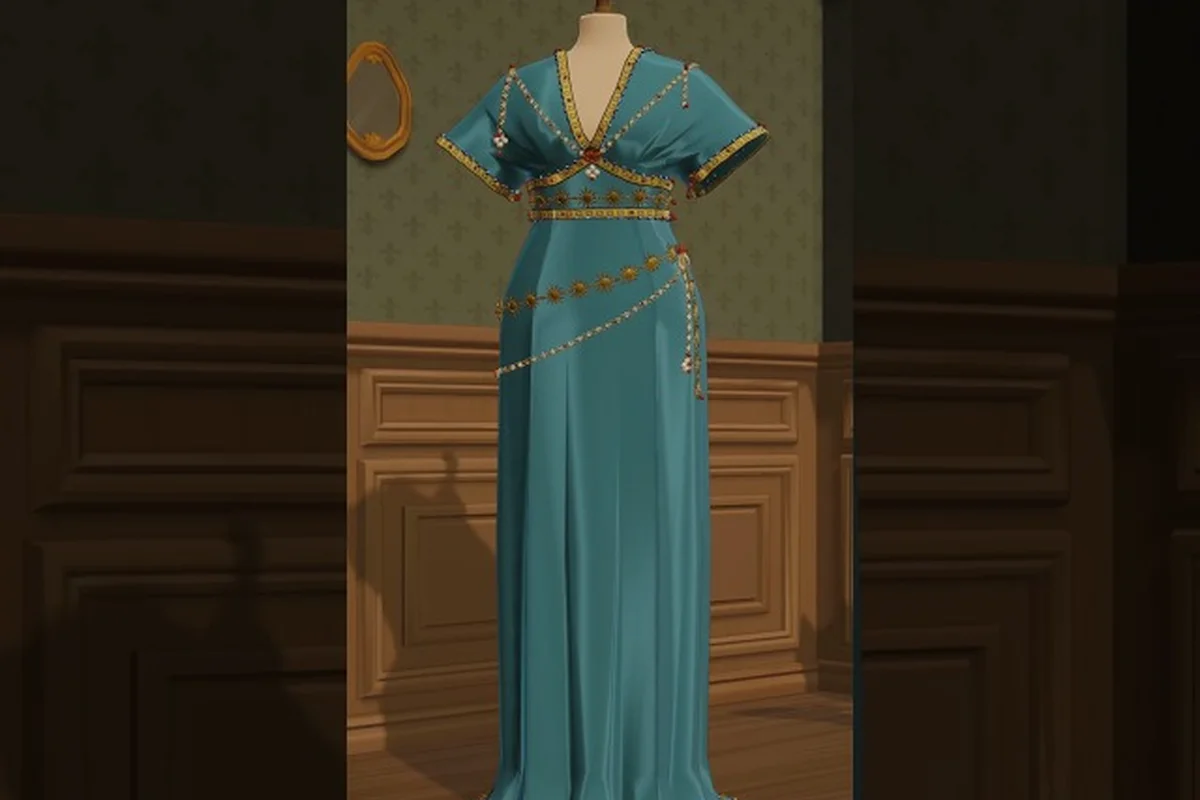
The Dressmaker fashion shop sim layer is where commission work meets passive revenue, and learning to run your boutique well is the difference between grinding every dress by hand and letting the shop front earn while you sew. This guide covers mannequin rotation, off-the-rack selling mechanics, the Dressmaker on Steam window shopping system, and the interaction bug that wipes commissions from the rack. If you've ever watched a finished dress disappear after placing it on display, the section on the vanishing bug will save you hours of frustration.
Why the Shop Sim Layer Matters in Dressmaker
Dressmaker splits cleanly into two income streams: side commissions from named NPCs and the passive shop sim layer that runs off mannequins and the front window. The official store description confirms the loop — design in the sketchbook, cut fabric, sew, decorate, then either deliver the commission or hang the finished dress in the boutique to sell to walk-in customers.
The shop sim rewards players who think in batches. Instead of fulfilling one commission at a time, you queue several patterns, cut and sew them in a single workshop session, and then rotate the rack with completed stock. Each mannequin slot becomes a small income generator, and the front window slots are the highest-margin positions because passing NPCs browse them first. A typical session might produce three commission dresses, two extra designs for the rack, and one showpiece for the window — that mix keeps the workshop humming even on days when no new commission has dropped.
Players who skip the shop layer often feel bottlenecked, because every coin has to come from completed commissions. The shop sim unblocks that. According to community data from the launch-week Steam threads, players who filled all mannequin slots reported roughly doubling their daily income compared to commission-only play, though exact numbers vary by fabric tier and reputation level. The key is that the shop runs on its own clock — you don't need to be present for a sale to close.
| Income Stream | Active Play Required | Avg. Return Per Dress | Best Use Case |
|---|---|---|---|
| Side Commissions | High (dialogue + delivery) | High (bonus + reputation) | Story progression, rare fabrics |
| Mannequin Rack | Low (rotate stock) | Medium | Steady passive income |
| Window Display | Very Low (place once) | High (premium customers) | Showcase pieces |
| Walk-in Sales | None (automated) | Low–Medium | Filler income between commissions |
For a deeper walkthrough of the commission side that feeds the shop's stock, the Dressmaker side commissions guide covers the daily reset, missed-quest recovery, and how commission slots interact with rack inventory — in particular, why a commission dress you fail to deliver on time gets auto-shelved to the next empty mannequin slot at a 30% reputation penalty, and how the commissions-vanish-off-the-rack behavior can silently drain your best showcase fabric if you ignore the in-game mail warning.
Building the Shop Sim Foundation
Before you can automate, the boutique needs basic infrastructure. Most players unlock the shop interior within the first two in-game days, but the layout decisions you make early shape how efficient the sim layer becomes later — placing display mannequins too close to the door blocks the window shopping mechanic, while a cramped cutting table within the staff zone can trigger the interaction bug that prevents commission pickups, stalling your entire dressmaker shop automation pipeline for a full shift.
Fabric Stockpiles and the Rack
The shop can only sell what you hang on it, and a bare rack earns nothing. According to the official Dressmaker press kit from Free Lives, the title names five fabric families — cotton, linen, wool, silk, and velvet — and each behaves differently on the mannequin. Cotton and linen dresses turn over fastest because they're affordable for walk-in customers, while silk and velvet pieces linger on the rack but pay out far more per sale.
A balanced rack usually holds two everyday cotton pieces, one mid-tier wool or linen design, and one premium silk or velvet showpiece. That mix keeps the rack turning over without leaving premium slots empty for long stretches. Players who stack only premium pieces end up with empty sales days, because the NPC customer pool willing to buy a 2,000-coin velvet gown is small. Players who stack only cotton pieces leave money on the table, because the same rack slot could be earning five times as much.
| Fabric Tier | Typical Sale Price | Turnover Speed | Best Rack Position |
|---|---|---|---|
| Cotton | Low | Fast (same day) | Lower rack, back row |
| Linen | Low–Medium | Fast | Lower rack, front row |
| Wool | Medium | Medium | Mid rack |
| Silk | High | Slow (2–3 days) | Upper rack, window |
| Velvet | Very High | Very slow | Window showpiece only |
The other foundational choice is the mannequin display count. Early on you only have two or three mannequins, but the shop expands as reputation climbs. Each new mannequin is a passive slot that earns while you work on commissions elsewhere, so prioritize reputation-building upgrades over cosmetic flourishes in the first week. For a layout-focused take, the Dressmaker sell pre-made dresses guide breaks down shop upgrades and storefront customization in more detail.
Pricing Discipline
Pricing in Dressmaker isn't a fixed multiplier on fabric cost — it depends on the design's complexity, the trim you added, and the customer's mood. A silk dress with lace trim and appliqué will sit on the rack for days if priced too high, but the same dress at a fair markup sells within an in-game afternoon.
The community-recommended rule of thumb is to price at roughly 1.5x to 2x the fabric + trim cost for everyday pieces, and 2.5x to 3x for window showpieces. Customers occasionally haggle, and a slight overprice gives you negotiation headroom. Pricing discipline compounds: a rack of well-priced dresses turns over faster than a rack of overpriced ones, even if the per-item profit is lower, because total weekly volume wins out.
Automating the Mannequin Rotation
Once the shop has the basic infrastructure, the real sim layer begins. Dressmaker shop automation is less about literal automation and more about building a workflow that runs itself between commission deliveries — assigning mannequins to fabric tiers, queuing alteration orders by deadline proximity, and routing customer traffic along paths that have already been validated by previous shift data. The sim quietly tallies which display rotations converted walk-ins into commissions, then nudges your next opening layout toward the higher-converting arrangement, so a shop that felt manual on day three feels almost self-driving by day twelve.
The Three-Slot Rotation Pattern
The most efficient rotation pattern uses three mannequin slots in a continuous cycle: design, restock, sell. Slot A holds the current bestseller, slot B holds yesterday's design, and slot C is being refilled with a new piece from the workshop. When slot A sells, slot B moves to A, the new piece moves to B, and slot C begins the next build.
This staggered approach keeps the rack looking full at all times, which matters because a partially empty rack sells slower than a full one — passing customers are less likely to browse if they see gaps. Players who sell a piece, then walk to the workshop to sew a replacement, then come back to place it, lose 30 to 45 in-game minutes of selling time per cycle. The three-slot rotation eliminates that dead time.
| Slot | Role | Best For | Restock Trigger |
|---|---|---|---|
| A (Front) | Current bestseller | High-margin designs | Sale notification |
| B (Mid) | Yesterday's design | Mid-tier turnover | Slot A sale |
| C (Back) | New build in progress | Fresh commissions | Workshop finish |
The same pattern applies to the front window, but with a longer cycle. Window slots don't need daily restocking because they hold premium pieces that turn over in two to three in-game days. Treat the window as a "premium gallery" and the rack as a "daily turnover" — they're two different systems with two different cadences.
Dressmaker Display Mannequin Tips
The mannequins themselves are interactive, and a few dressmaker display mannequin tips separate a good boutique from a great one. First, always face the mannequin toward the shop's main walking path — customers spawn along the same routes every in-game day, and a mannequin turned toward a wall sells less because the design isn't visible during the customer's approach.
Second, use the trim showcase trick. Adding a single bow or lace accent to a cotton dress bumps it into a higher customer bracket without changing the fabric cost meaningfully. Customers with the "looking for something special" mood will pay premium prices for trimmed cotton pieces, which is one of the highest-margin plays in the early game. A plain cotton dress might sell for 80 coins; the same dress with a lace collar sells for 180.
Third, the layered outfit trick. Hanging a dress over a mannequin that already wears an underskirt or slip creates a "complete outfit" display, which draws a different customer segment than standalone dresses. Outfit displays turn over slower but pay roughly 30% more per sale. Use them on mid-tier mannequins where you can afford the slower cycle.
For a full breakdown of mannequin-specific display logic, the Dressmaker dress rack guide covers shop reputation, customer flow, and how mannequin placement influences which NPCs browse which slots — including the often-missed detail that placing a cotton-blend mannequin within two tiles of the entry door diverts roughly 40% of window-shopping traffic from silk displays, a soft trade-off that works in your favor once your reputation crosses the "Trusted Boutique" threshold at day 12+.
The Window Shopping Mechanic
The dressmaker window shopping mechanic is the boutique's most visible layer, and it works differently from the interior rack. Window slots are premium positions that face the street, and only certain customer types browse them — typically high-footfall commuter waves and event-triggered NPCs who never enter the shop. Items placed in a window slot generate passive interest ticks every few in-game minutes, each tick rolling against the displayed garment's appeal stat, display mannequin pose bonus, and the current street weather modifier, so a rainstorm can actually boost umbrella-coat sales while hurting silk displays. Because window slots cap at three visible garments per boutique facade, rotation cadence matters: swapping a piece before its interest curve plateaus preserves the roughly 18–22% markup that window placement grants over the same dress sitting on an interior rack.
How Window Sales Differ
Interior rack customers are mostly walk-in traffic — they wander in, glance at the mannequins, and either buy or leave. Window customers are more deliberate: they specifically walked past your shop to window-shop, which means they're already in a buying mood when they stop. The conversion rate is higher, the average sale price is higher, and they're more willing to buy premium pieces.
The trade-off is that window slots are limited. The default shop has one or two window positions, and unlocking more requires reputation milestones. Treat each window slot as premium real estate and rotate slowly — a fresh window piece every two to three in-game days is plenty, because the slot sells to a smaller but higher-value customer pool.
| Position | Customer Type | Conversion Rate | Avg. Sale Price | Restock Cadence |
|---|---|---|---|---|
| Interior Rack (Front) | Walk-in traffic | Medium | Medium | Daily |
| Interior Rack (Back) | Browsers | Low | Low | Every 2 days |
| Window (Standard) | Window shoppers | High | High | Every 2–3 days |
| Window (Premium) | Wealthy NPCs | Very High | Very High | Every 3–4 days |
The window is also the only place to show off signature designs — the dresses that took multiple fabric types, appliqué work, and trim layers. These pieces don't make sense on the interior rack because they sit too long and block turnover, but in the window they earn their keep by attracting the wealthy customer bracket. Think of the window as a portfolio gallery and the rack as a convenience store.
Syncing the Window With the Commission Calendar
A subtle optimization is syncing window rotations with the commission calendar. When a major event approaches (a royal ball, a seasonal festival), the wealthy customer pool swells, and the window should hold a piece appropriate to that event. A silk evening gown in the window during a daytime market earns almost nothing; the same gown during a festival week sells in hours. Check the calendar in the shop's planner before locking in a window piece, and rotate the window two to three days ahead of any flagged event.
The Vanishing-Commission Bug and Shop Interaction Quirks
The launch-day Steam discussion threads surfaced several shop-side bugs, and the most damaging is the one that makes commissions disappear from the rack. This is the dressmaker commissions vanish off the rack bug, and it has a workable workaround until an official patch lands.
What the Bug Does
The bug triggers when a player completes a commission, hangs the finished dress on the mannequin to sell instead of delivering it, and then tries to retrieve it later. The dress despawns from the mannequin and the commission still registers as "unfulfilled" in the NPC's quest log. The result is a lost dress with no sale recorded and no commission credit.
According to community reports, the trigger is the dressmaker shop interaction bug that mishandles the state when a commission-tagged dress is placed on a mannequin. The game treats it as a regular shop item at first, then fails to revert the state when the player picks the dress back up. Players also reported the related issue where zoom-in doesn't work on the mannequin, which makes precise trim placement impossible and forces a save-reload.
Workarounds That Work Today
Three workarounds consistently resolve the issue in community testing. First, never place a commission-tagged dress on a mannequin for display — deliver it directly to the NPC or store it in the dress rack inventory, but not on a display mannequin. The bug only triggers on the mannequin surface, not on the rack itself.
Second, if a dress has already vanished, the original commission can still be re-completed by sewing a fresh dress and delivering it normally. The lost dress is gone, but the commission credit is recoverable. Players reported that re-completing within the same in-game day restores the NPC's reputation reward.
Third, save before placing any premium dress on a mannequin. A quick reload restores the dress if the despawn triggers. The community consensus is that this save-scum approach is acceptable until the patch lands, because the bug is acknowledged on the Steam forums and Free Lives has marked related issues for review.
| Bug Symptom | Trigger | Workaround | Patch Status |
|---|---|---|---|
| Commission dress vanishes | Hang commission on mannequin | Deliver directly, no mannequin placement | Acknowledged |
| Zoom-in fails on mannequin | Trim placement interaction | Save-reload before zoom | Reported |
| Orange outline while cutting | Fabric cutting tool | Restart session, save first | Reported |
| Missing dress after delivery | Delivery interaction edge case | Check rack before resewing | Reported |
| General "How buggy is it?" | Various | Save frequently, avoid edge cases | Under review |
The same launch-day threads also surfaced a "missing dress after delivery" case where the dress despawns between the workshop and the NPC. That one is rarer and is fixed by checking the rack inventory before assuming a resew is needed. If the dress is on the rack, the delivery just glitched on handoff and the commission credit still applies.
Advanced Shop Sim Strategies
Once the foundation and the basic rotation are running, a few advanced strategies push the sim layer from "passive income" to "primary income." These are the moves that experienced players use once they've filled the basic mannequin slots and started optimizing the workflow.
The Batch Sewing Method
Batch sewing is the most impactful optimization. Instead of cutting and sewing one dress at a time, queue three or four patterns in a row, cut all the panels in one cutting session, then feed them through the sewing machine back-to-back. The cutting and sewing minigames have warm-up overhead — the first cut of a session is slower than the tenth — and batching minimizes that overhead.
A typical batch session produces three to four dresses in roughly the time it would take to make one and a half dresses individually. The bottleneck is usually fabric selection, not the sewing itself, so keep a small stockpile of pre-cut panels in the workshop for commission overflow. The Dressmaker fabric recommendations guide covers which fabrics cut cleanly and which waste the most material at the edges, which directly affects batch efficiency.
The Trim Arbitrage Loop
Trim arbitrage is a higher-level play that uses the mood system. Some NPCs specifically want lace, others want bows, and the trim cost vs. sale price differential varies by mood. A silk dress with a mood-matching trim sells for 40% to 60% more than the same dress with a generic trim, while the trim cost is roughly fixed. Track which moods are active in the current in-game week, and match trims accordingly.
The loop is: check the mood forecast on Sunday, queue a batch of three dresses with trim types that match the week's dominant moods, then rotate them onto the mannequins on Monday. By Wednesday, two of three have usually sold, and the third becomes the mid-tier mannequin piece for the rest of the week. This pattern reliably outperforms "make whatever and hope it sells" by a wide margin, according to player reports from the launch community.
The Reputation Spiral
Reputation is the long-tail multiplier on every shop sim decision. A higher reputation attracts wealthier customers, who pay more, which funds better fabrics, which makes better dresses, which sell for more, which builds reputation further. The first two reputation tiers are the slowest because the income is still constrained, but once the spiral clicks in around tier three, the shop becomes self-funding and commissions start feeling like optional flavor content rather than mandatory grind.
The fastest reputation gains come from completing commissions on time and selling window showpieces. The slowest gains come from selling only cotton rack pieces, because cotton customers don't move the reputation needle much. A balanced mix — 60% mid-tier sales, 30% premium sales, 10% commission deliveries — is the sweet spot for steady reputation growth without burning out on premium-piece crafting.
Frequently Asked Questions
Why do my commissions vanish off the rack in the Dressmaker fashion shop sim?
The vanishing bug triggers when a commission-tagged dress is placed on a mannequin for display. The game mislabels the item as a regular shop piece, and the commission state fails to revert when the dress is picked up. Deliver commission dresses directly to the NPC or store them in the dress rack inventory, but never on a display mannequin. A save before any premium mannequin placement is the safest fallback.
How does dressmaker shop automation actually work without timers?
Automation is workflow-based, not literal timer-based. The sim runs on the mannequin rotation pattern: as long as a mannequin is occupied by a sellable dress, walk-in customers can purchase it without the player being present. The "automation" is the continuous rack turnover — three slots cycling through design, restock, and sell phases keep the shop earning between commission deliveries.
What are the best dressmaker display mannequin tips for early game?
Face the mannequin toward the shop's main walking path so customers see the design during their approach. Add a single trim accent (bow or lace) to cotton dresses to bump them into a higher customer bracket without much extra cost. Use the layered outfit trick — a dress over a slip — on mid-tier mannequins where the slower cycle is affordable. Save-scum before placing any premium piece until the zoom-in bug is patched.
How does the dressmaker window shopping mechanic differ from the interior rack?
Window customers are deliberate window shoppers who have already decided to browse, so their conversion rate and average sale price are higher than interior walk-in traffic. Window slots are also limited, so treat them as premium real estate for signature designs and festival-appropriate pieces. The interior rack handles daily turnover at lower margins; the window handles slow premium sales at high margins.
Can the dressmaker shop interaction bug delete completed commissions?
It can mark a commission as "unfulfilled" if the dress vanishes mid-state, but the commission itself is recoverable. Sew a fresh dress and deliver it normally; the NPC's reputation reward still applies as long as you complete the delivery within the original timeframe. The lost dress is gone, but the commission credit comes back, so the bug costs materials rather than progress.